

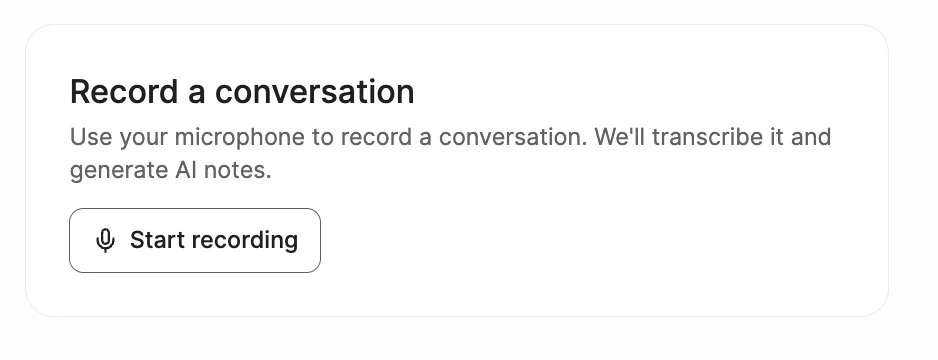
The in-browser recording tile can be found on the right hand side of your Metaview main dashboard page.
- Click
Start recordingon your Metaview account home page. You may be required to allow microphone access when prompted by your browser. Select your microphone andAllow while visiting the siteon your browser pop-up to proceed with recording.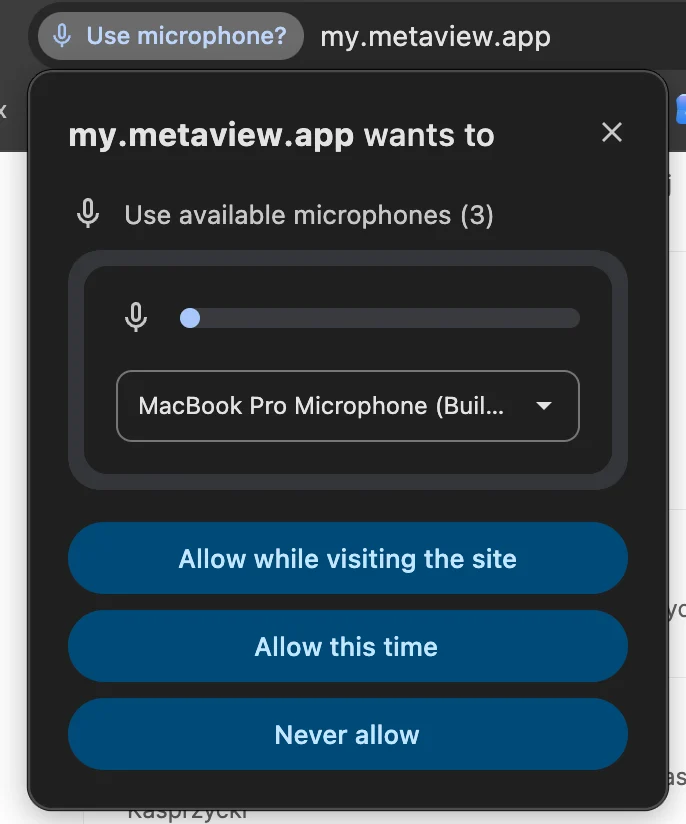
You may be required to allow microphone access when prompted by your browser.
- When the conversation is finished, click
Stop recording. For longer live conversations, we recommend splitting the recording into roughly 1-hour chunks where possible. We also recommend limiting individual recorded conversations to a maximum of 3 hours.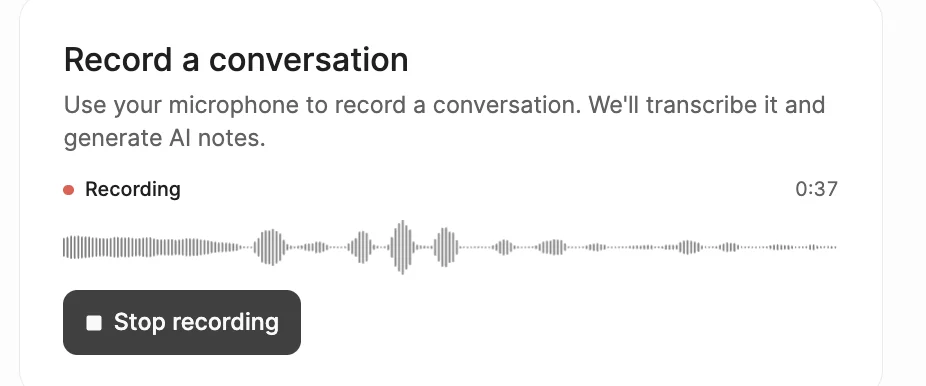
The "Record a conversation" card is available on the right hard side of your main notes homepage.
- You will then be taken through the upload flow. Enter the details for your recording, add participants if needed, and click
Uploadto Metaview. \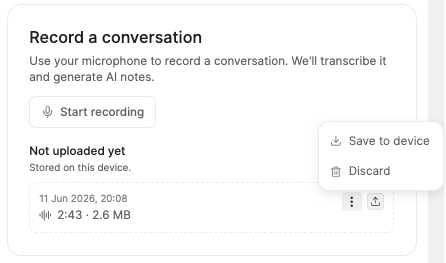
If the upload fails or the tab is closed before the upload is complete, Metaview will try to preserve your recording. You can go back and try uploading it again, save it to your device, or discard it.
- Your recording will be transcribed and your notes will be available within a few minutes on your Metaview home page. They will not necessarily appear at the top of the page, you may need to scroll down your list to the start time you have provided when uploading the recording.
- Please note that the normal Access rules still apply, so only call participants listed as interviewers and admins will have access by default to the transcript and notes. Therefore, even if you are the one recording and uploading the conversation, if you do not include yourself as a participant with the role of Interviewer, once the conversation is uploaded and processed, it will not show up in your conversations.
- Once the upload is completed, you may need to manually assign speakers in the conversation, as Metaview won’t know who is speaking when in the recording of your call or in-person meeting. Please see Assigning participants for details.
Recording quality may vary depending on your microphone, device, and environment. For best results, keep your laptop close to the speakers and record in a quiet environment.
Best Practices
Before you start- If you have more than one input device, select the correct microphone in the browser prompt.
- Close any other app that might be using your mic (Zoom, Teams, Meet).
Start recording, confirm the card shows all of these:
- A pulsing red dot next to Recording.
-
A timer counting up — if it’s stuck at
00:00, something’s wrong. - A live waveform that moves when someone speaks. This is the most important check: if it stays flat while people are talking, the mic isn’t picking up audio.
- Keep your computer awake. If the device sleeps or the mic disconnects, the recording is interrupted and may be lost.
- Keep the device plugged in and the Metaview tab open.
- Use Chrome or Firefox for long or important recordings.
- Don’t clear your browser data or site storage, switch device or browser, or use incognito/private mode — unsaved recordings live in this browser’s local storage on this device until the upload completes.