

Overview
Sourcing is designed to assist, not replace, your recruiting judgment.- You describe the role you’re hiring for — through job descriptions, verbal briefs, or calibration on existing candidates.
- Metaview’s AI generates an Ideal Candidate Profile (ICP) based on your input, which is presented to you for review and approval before any search is run. You can edit, override, add, or remove any criteria in the ICP.
- The Sourcing agent searches the candidate database to identify people who may be a good fit, and returns a ranked list of candidate profiles that you can re-sort, search, and filter.
- You independently review the results and decide who to contact and how to proceed.
- Make hiring decisions or recommendations about who to hire.
- Automatically contact, progress, or reject any candidate.
- Recommend specific actions to take on any candidate.
- Use protected characteristics in ranking candidates.
- Replace your team’s independent evaluation of candidates.
Defining your search criteria
The quality of your sourcing results depends on the clarity of your inputs. When you describe what you’re looking for, Metaview generates a structured Ideal Candidate Profile (ICP) that breaks your requirements into clear, weighted sections — including must-have qualifications, nice-to-haves, target companies, and anti-patterns. This structure is designed so you can see exactly how each criterion is being weighted before the search runs. You review and approve the ICP before any search is executed, and can edit any part of it. Best practice guidelines for search criteria:- Be specific about what matters for the role. Include relevant skills, experience levels, and role-specific requirements rather than broad or vague descriptions.
- Focus on job-related qualifications. Keep your criteria centered on professional attributes like skills, experience, career history, and location relevance.
- Calibrate when possible. Use existing strong candidates or profiles as calibration examples to help the AI understand what “good” looks like for this specific role.
- Iterate and refine. If initial results aren’t quite right, adjust your criteria. Calibration feedback refines results within your current search session.
- Avoid criteria that could introduce bias. Do not include references to protected characteristics such as age, gender, ethnicity, disability, or other non-job-related personal attributes in your search requirements.
Reviewing and acting on results
Every list of candidates Metaview surfaces is a starting point for your review — not a final answer. The ranking reflects how closely each candidate’s profile matches the requirements you’ve set, but your judgment is what determines who moves forward. When reviewing your results, you can:- Evaluate candidates independently. Don’t rely solely on ranking position. Review individual profiles to assess fit based on the full context of the role.
- Use the results as one input among several. Combine Sourcing results with other sourcing channels, referrals, inbound applications, and your own research.
- Consider candidates the AI may have ranked lower. Rankings reflect pattern matching against your criteria — they may not capture every dimension of what makes a great hire.
- Document your reasoning. When you decide to progress or pass on a candidate, note why. This supports fair, consistent decision-making across your team.
Candidate outreach
When you reach out to candidates, your organisation is the data controller for that outreach. If you request contact details (email address or phone number) for a candidate, these are obtained on your behalf from contact enrichment services — they are not part of the candidate’s original profile data. Two things to include in every outreach communication:- Link to your organisation’s privacy policy. This lets candidates know how their data is being used and what their rights are.
- Provide candidates with an opt-out. Give candidates a simple way to tell you they don’t want to be contacted, and honour those requests promptly.
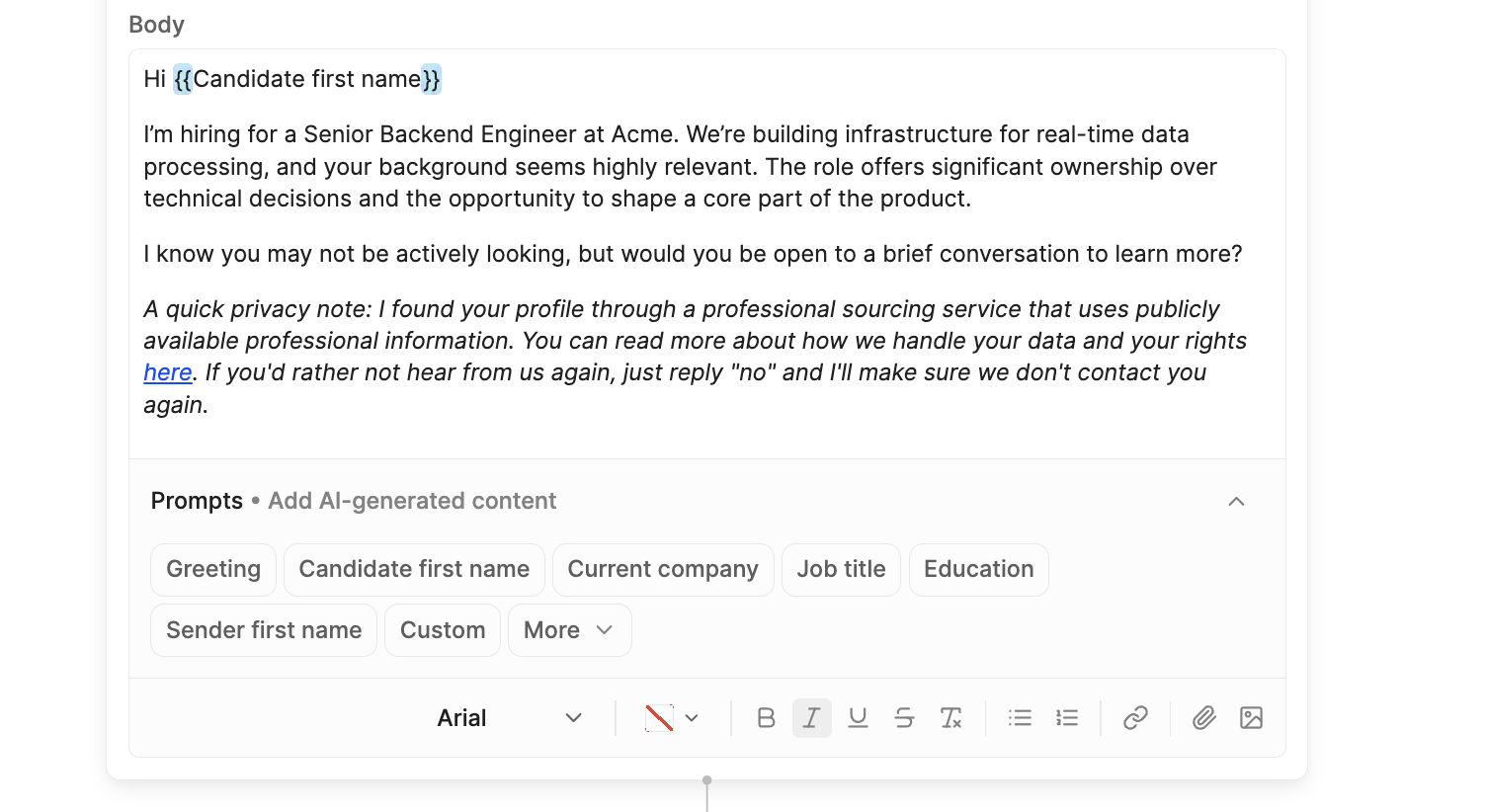
Text in [square brackets] are placeholders — replace these with your own details before saving your sequence. {{Double brackets}} are AI prompts that allow you personalise outreach automatically for each candidate at send time.
First outreach email example
First outreach email example
Hi
{{Candidate first name}},{{a one-sentence opener specific to this candidate, referencing a detail from their recent work — warm and specific, no generic flattery}}I’m [Your name], and I’m recruiting for a [Role] at [Company]. [one sentence: what the company does + one credibility anchor. e.g. “a Series B team building X, backed by Y”]. It’s a role where you’d [ownership / impact]. {{one sentence linking this candidate's specific experience or skills to what this role needs}}[Your ask: one sentence inviting a conversation. e.g. “Would you be open to a quick call this week? Happy to share the full brief — and no pressure if the timing’s off.“]I found your profile via a professional sourcing service — you can read how we handle your data here: [link to your candidate privacy notice]. If you’d rather not hear from us, just let me know and I’ll make sure you’re removed.[Your name]