

Elyse shows you how to use Notes.
What this changes
Interviewers stay in the conversation
No more splitting attention between the candidate and a notes doc. Ask better follow-ups, and let the write-up happen on its own.
Decisions rest on what was said
Every line in your notes links back to the moment in the transcript it came from, so a debrief can check the evidence instead of debating memories.
Notes look the same every time
A template fixes the structure of the write-up, not the conversation — consistent notes without anyone interviewing from a script.
Built for hiring conversations
Plenty of tools will transcribe a meeting. Metaview is built specifically around hiring and talent conversations, and the features are where that shows:- Templates that match your process. Build a template from your scorecard, your intake questions, or your debrief framework, and Metaview fills it in from the conversation — in whatever order the conversation actually happened. See Templates.
- It knows who the candidate is. Metaview distinguishes interviewers from candidates, which is what makes question-and-answer notes, TLDRs, and candidate-facing pronoun and identifier controls possible. See Participants.
- Phone calls, not just video. High-volume screens often happen over the phone. Metaview captures those too. See Phone calls.
- Evidence you can forward, not just summarize. Cut a thirty-second snippet of a candidate’s answer and send it to the hiring manager, so they judge fit from the answer itself rather than from your write-up of it.
- It writes back to your ATS. Notes and scorecards go to the candidate’s record, so your system of record stays the system of record. See Share and export.
- Hiring-specific guardrails. Notes describe what was said rather than judging the person, and privacy controls are built around candidate data. See AI best practices.
The lifecycle of a captured call
1
Get Metaview into the call
Have it join automatically from your calendar or ATS, invite it manually per call, drop it into a call already underway, dial through it for phone screens, or upload a recording after the fact.See Capturing calls.
2
The call happens
Metaview appears as a clearly named participant that the host admits and can remove at any time. Anyone on the call can see it is there.See During the call.
3
Your notes arrive
Metaview transcribes the conversation and writes your notes from it, usually within about five minutes of the call ending. Notes are fully editable, and every section links back to the transcript.See Working with your notes.
4
Share, export, and reuse
Send notes to your ATS, share the conversation with colleagues or externally, group calls into collections, or pull a snippet or one-paragraph summary out for a hiring manager.See Share and export.
Manage conversations together
To organize several conversations at once, select their checkboxes in Notes and openAction. Choose Add to collection, Archive, or Delete. The same access permissions apply as when you act on a single conversation.
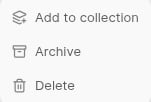
Select conversations in Notes, then use Action to add them to a collection, archive them or delete them.
Show archive, select the conversations and choose Action > Unarchive. Deleting removes the conversations for everyone and is irreversible. See Deleting and redacting for details.
Where to go next
Capturing calls
Every way to get Metaview onto a call — automatic scheduling, manual invites, phone setup, and uploads.
During the call
What participants see, how hosts admit or remove the notetaker, and per-platform detail for Meet, Zoom, Teams, and Webex.
Working with your notes
The notes page itself: transcript, recording, templates, editing, formatting, translation, and version history.
Templates
The default template library, and how to build custom templates from your own scorecards and frameworks.
Snippets
Clip the moment that matters and share it — with a hiring manager, an interview panel, or someone outside your workspace.
TLDR
A one-paragraph summary of a call, built from the topics you care about, ready to paste into an email.
Notes FAQs
Metaview didn’t join, notes are missing or delayed, or a shared link won’t open — start here.