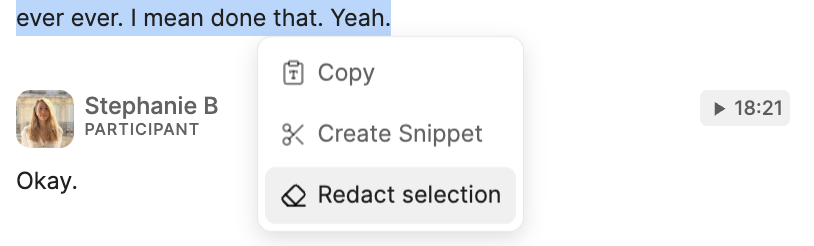
Both are irreversible.
Deleting a conversation
You can delete any conversation you have access to, and admins can delete any conversation across the workspace.- Open the conversation you want to delete.
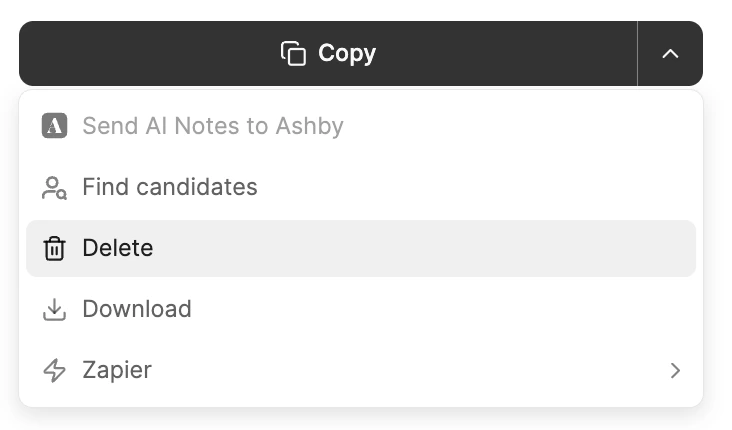
- Open the Actions panel on the right of the notes editor.
- Select
Delete. - Confirm when asked: “Delete this conversation for everyone? This action cannot be undone.”
Action > Delete. See Manage conversations together.
⋮ (3 dots) menu on the conversation in your Notes list and select Archive or Delete. Archiving only moves the entry to the Archive list; it does not delete anything.
Calls deleted by other participants, by your account admin, or automatically under your organization’s data retention settings are deleted for all users and are not recoverable. See Privacy configurations for retention settings.
Redacting selected content
To start a redaction, select the content you want to remove in the transcript, then choose to redact it. Redacting the selected content from a conversation hides it from everyone who has access to it, including you, other team members, and people you have shared it with. Redactions apply to the transcription, recording, summarized notes, and any other derived content such as TLDRs or Snippets. Once triggered, the process takes a few minutes to complete, and you won’t be able to access the video recording or the Notes while it runs.