

- Running a search as a team. Every call for one role in one place, so everyone working on it sees the same set.
- Handing a role over. Pull all of a candidate’s or client’s calls into one collection and share it with whoever picks the work up.
- Onboarding interviewers. Build a collection of strong example interviews and ask new interviewers to watch them before their first one.
Create and organize collections
In the Notes conversation rail:- Select
New collection. - Enter a name and create the collection.
- Add conversations with
Add conversations, by selecting conversations and choosingAction>Add to collection, or by dragging them into the collection.
... menu to:
Create sub-collectionAdd to collectionto move it under another collectionPinorUnpinRenameShareDelete
Remove from collection to remove a conversation without deleting it from Notes.
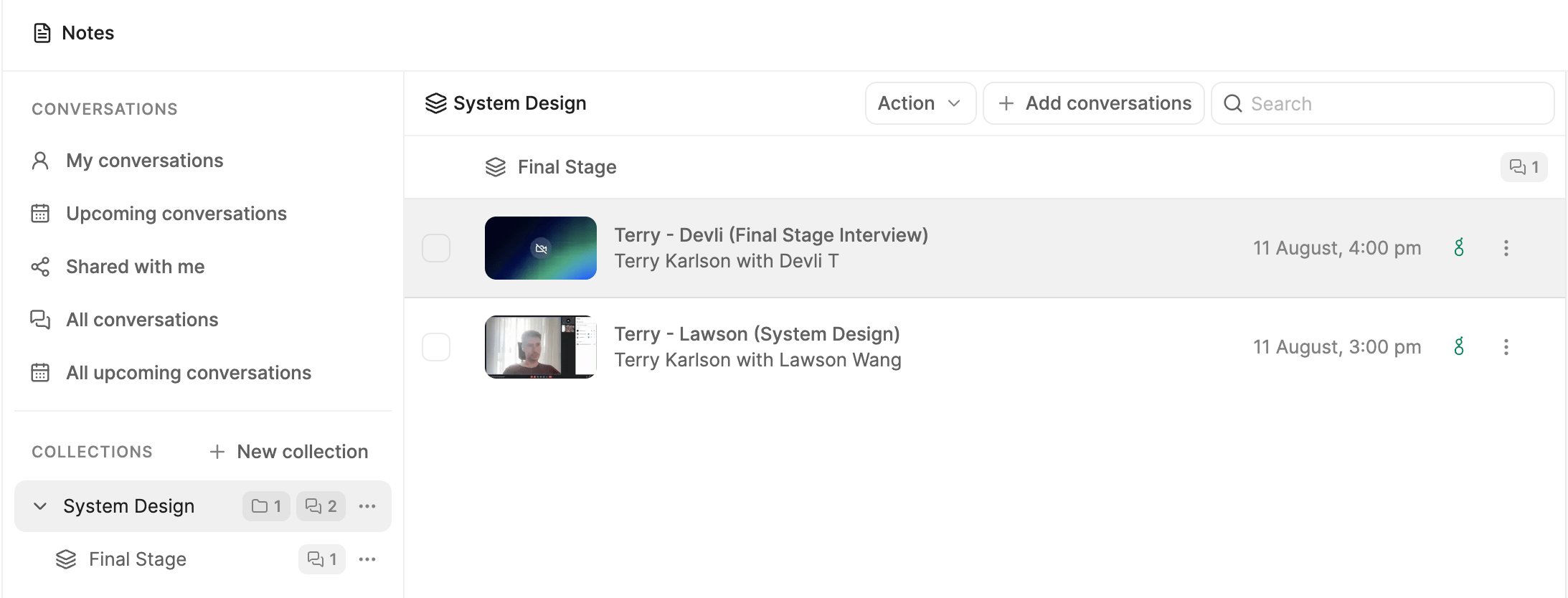
Collection Example
Share a collection
Open the collection menu and selectShare. Collections offer the same three levels of access as an individual conversation, though the share menu labels them slightly differently. Depending on your workspace sharing policy, you can share with:
Only specific people— invite named teammates by email. See With colleagues.Anyone in <workspace>— anyone in your workspace with the link. See Within your workspace.Anyone with the link— including people outside your workspace, who do not need a Metaview account. See Outside your workspace.
Sharing a collection sets access for the collection as a whole; it is separate from sharing one conversation or one set of Notes. Seat limits still apply to whoever you share with — see Sharing for the full detail.
Removing a call from the collection
Go to the call you wish to remove from the collection, click the call’s... and select Remove from collection
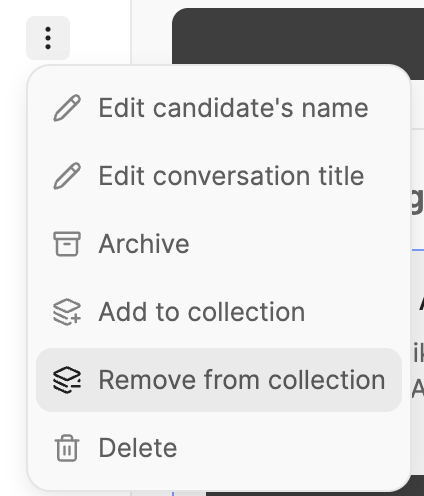
Removing a call from collection
Delete a collection
SelectDelete from the collection menu and confirm the action. The collection and its sub-collection structure are removed, but the conversations remain available in their other Notes views and collections.